
Overview
A Codeset is only comprised of codes and medical hierarchies. A Saved Search uses Codesets to build more complex searches, for example, by adding geography. See the steps below for information on how to create a custom Codeset.
Instructions
A custom Codeset can be created when running a Facility Report based on specific CPT codes.
Step 1
Select the facility you wish to run a report on > click Run Report > select the report to run.


Step 2
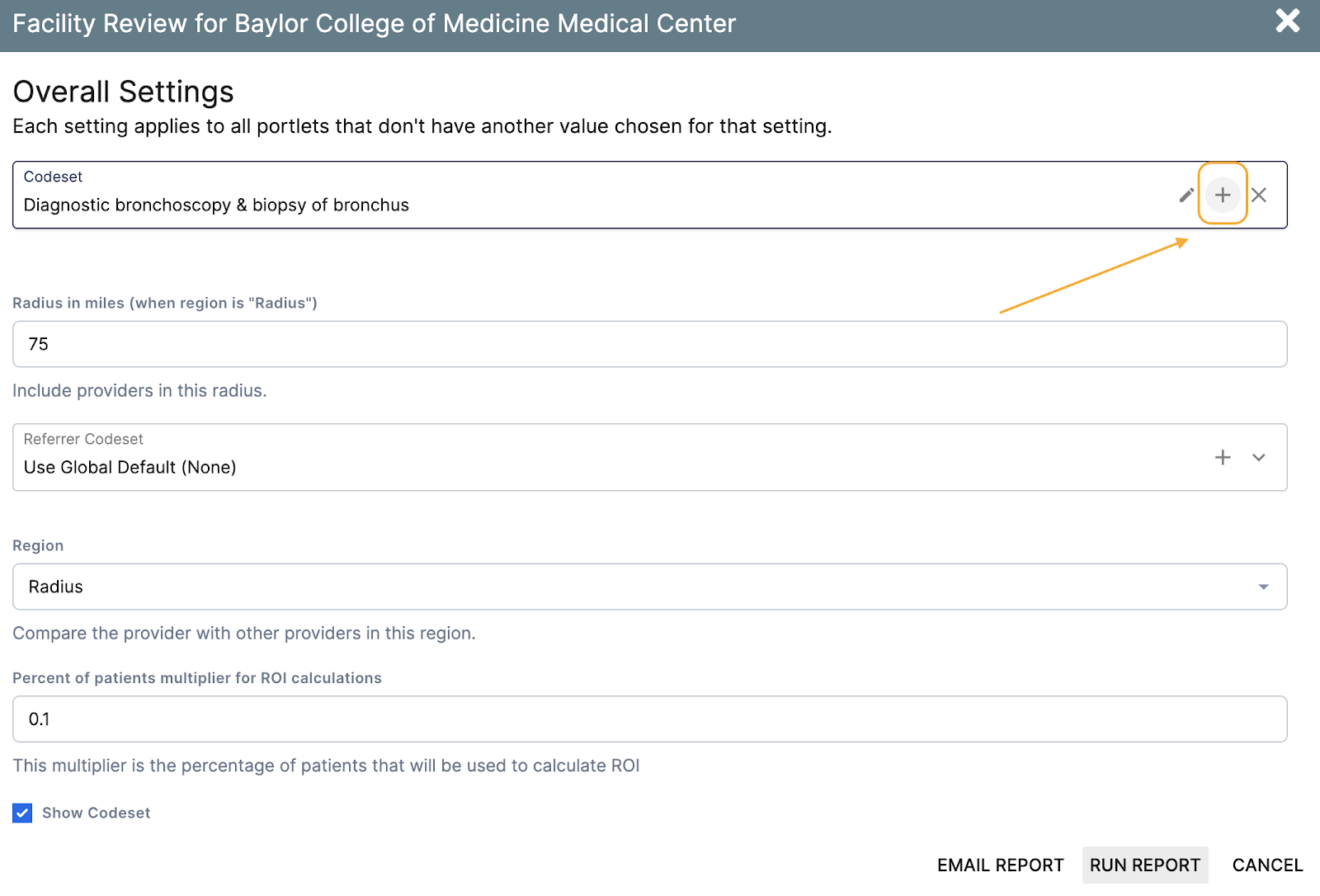
On the Overall Settings page > find the Codeset field > click on the "+" on the right. This will open a window that will allow you to create a new Codeset.
Step 3
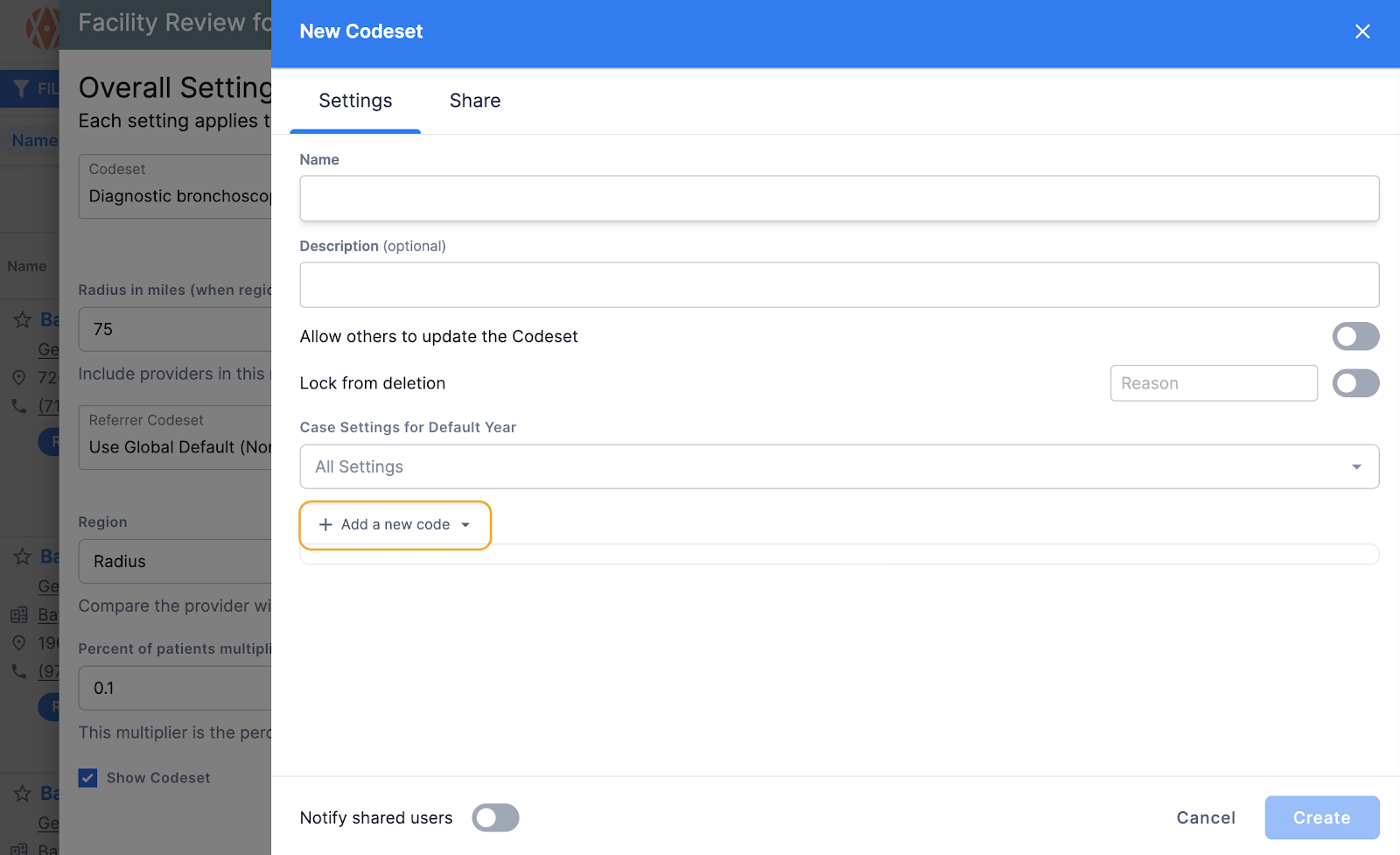
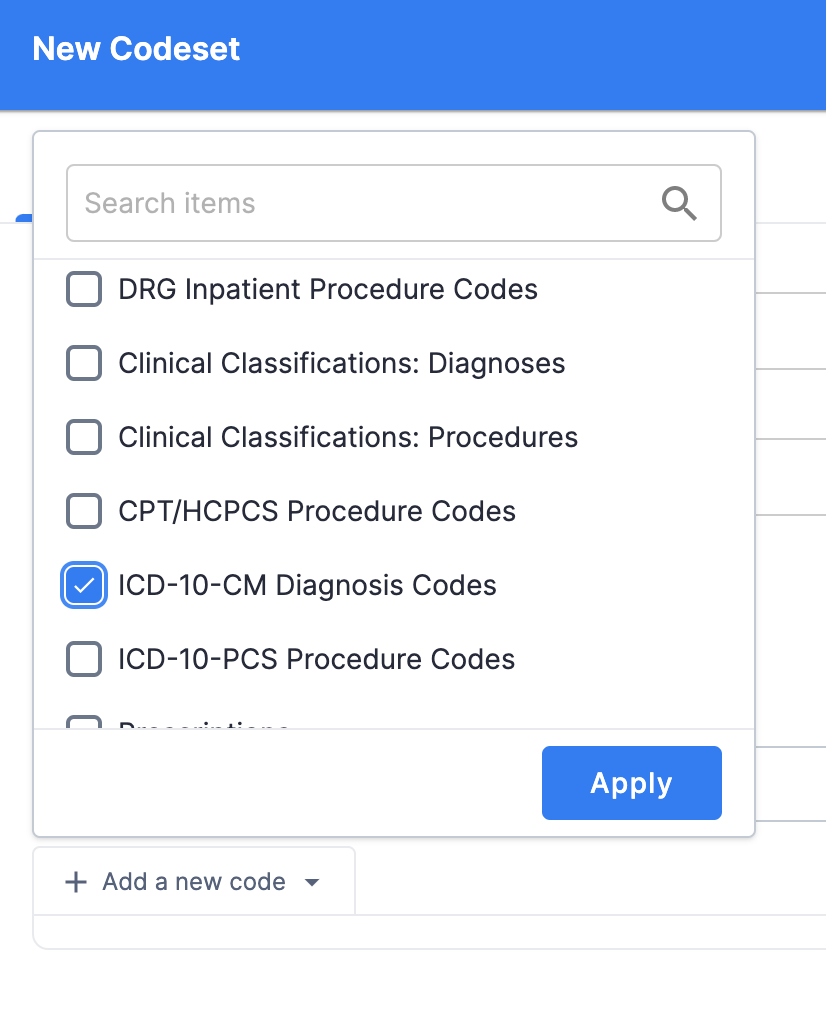
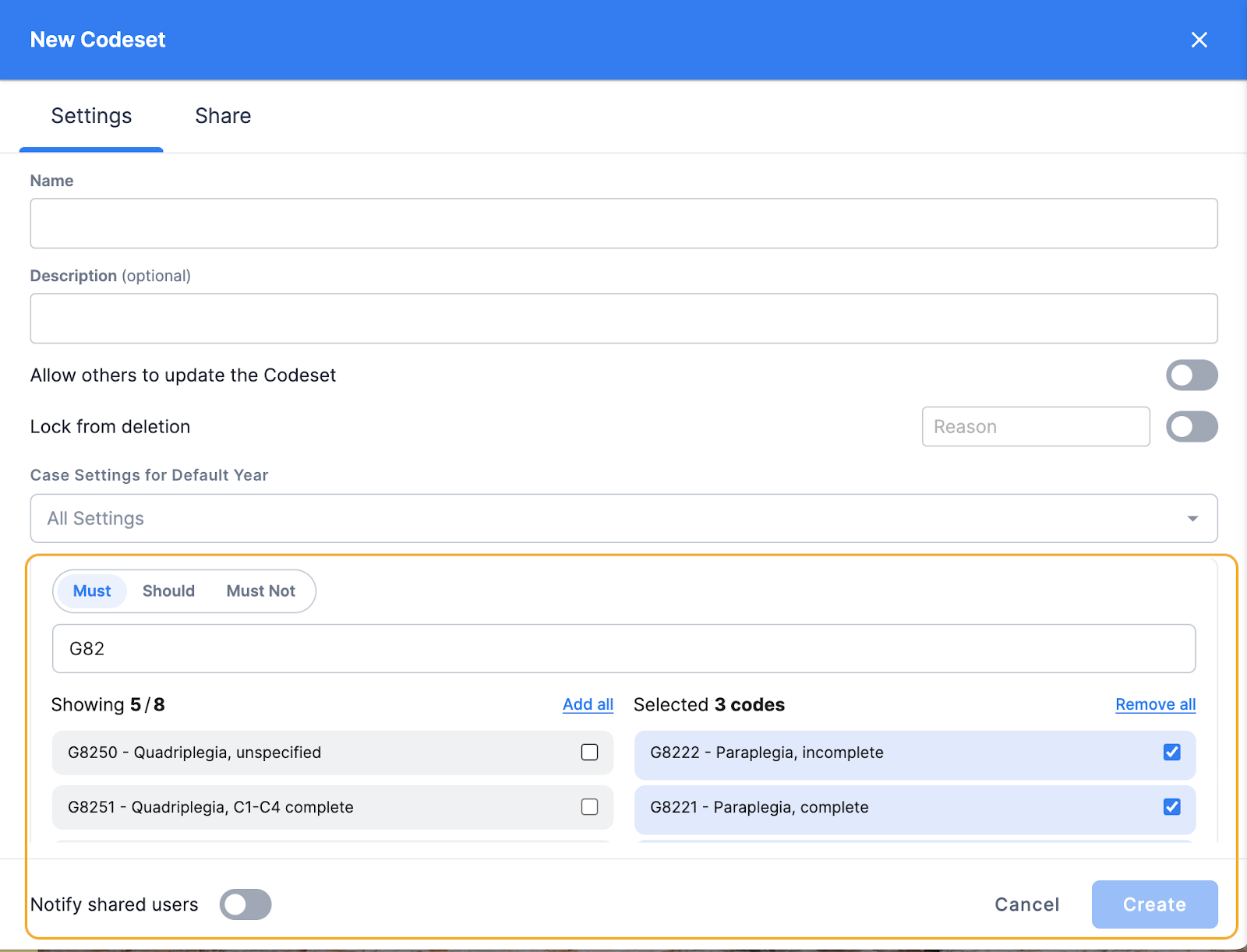
In the New Codeset window, name your Codeset and add an optional description. Select "+ Add a New Code" and choose which codes to include.
Step 4
When completed, click "Create." The window will collapse and the new Codeset will automatically generate in the Codeset field on the Overall Settings page. Last, click Run Report.