
Overview
The Patient Pathways report portlet allows you to see the path that patients took before receiving a specific procedure. This means that you will see physicians who first diagnosed knee pain before patients went to the focal facility for a knee arthroplasty. You can even specify criteria for the providers who saw patients.
Instructions
Step 1
Create a new report or run an existing report that includes the Patient Pathways portlet
Step 2
Select the focal facility by running a search > then click Reports > select the report you wish to run
Step 3
Select the Codeset and Referrer Codeset (both need to be selected)
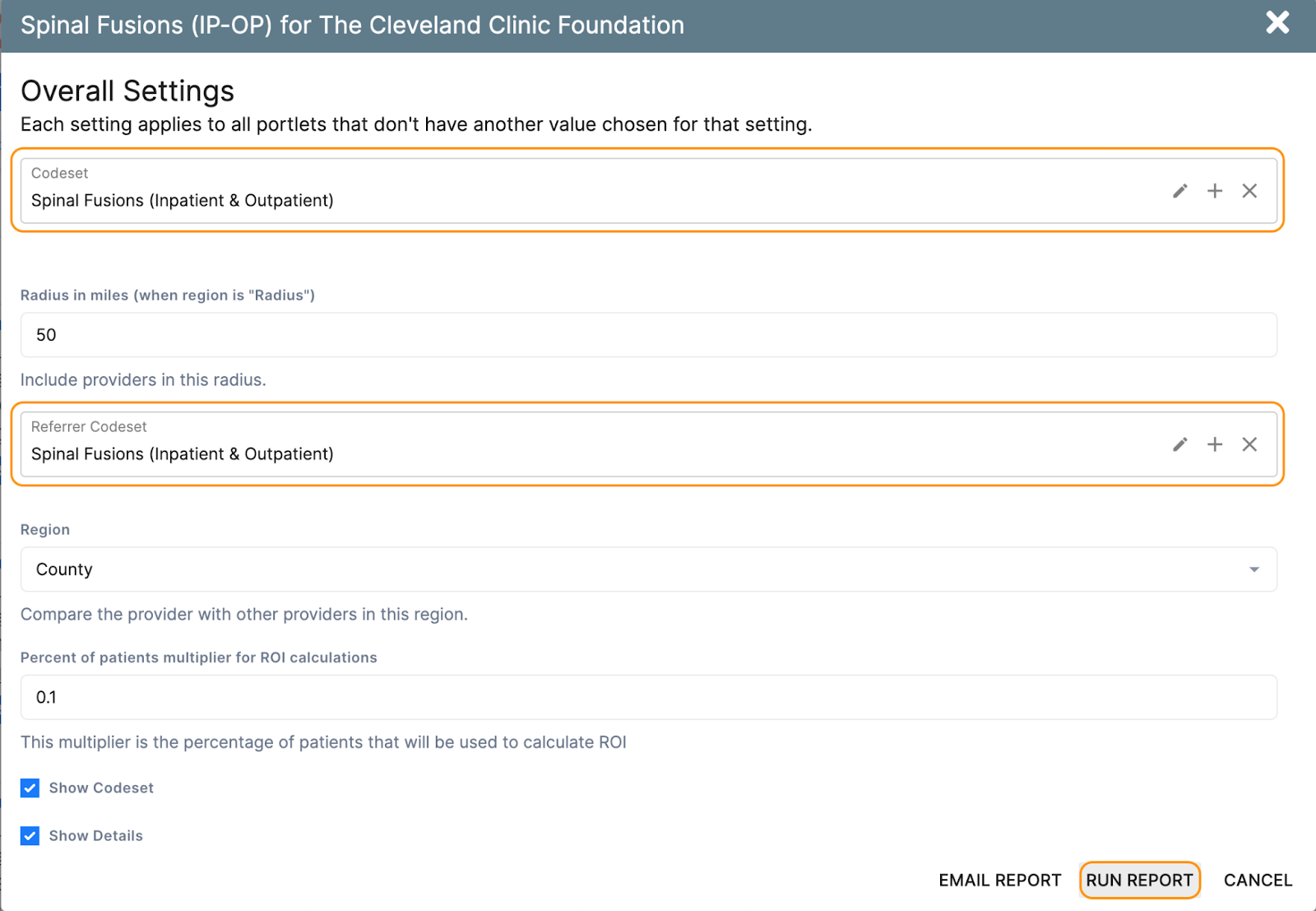
Step 4
To filter results, there are a number of options available, including a referral time window that can be adjusted
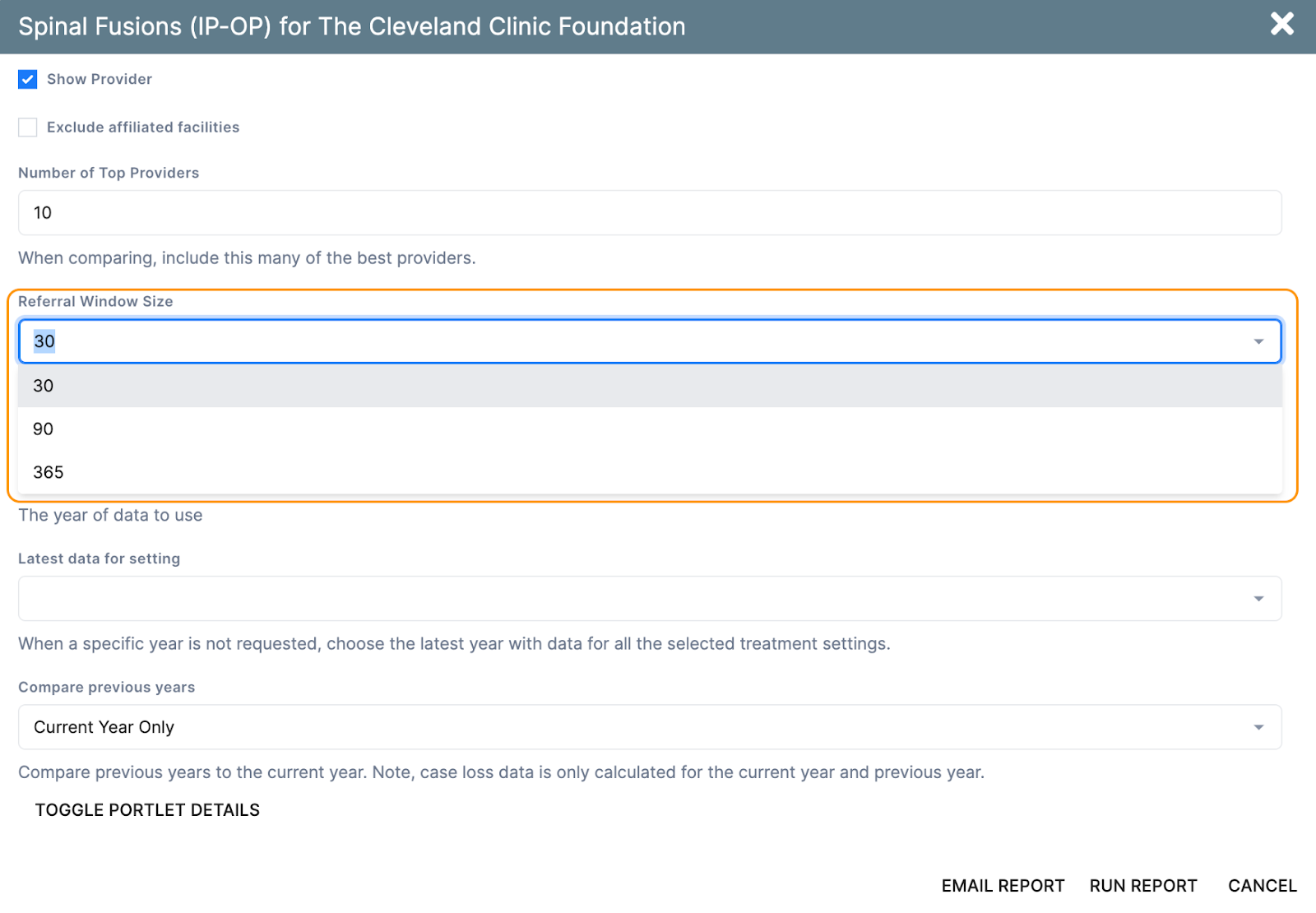
Step 5
Click Run Report to view the report in your browser
You may also click Email Report to have the report sent to your email inbox
Related Information
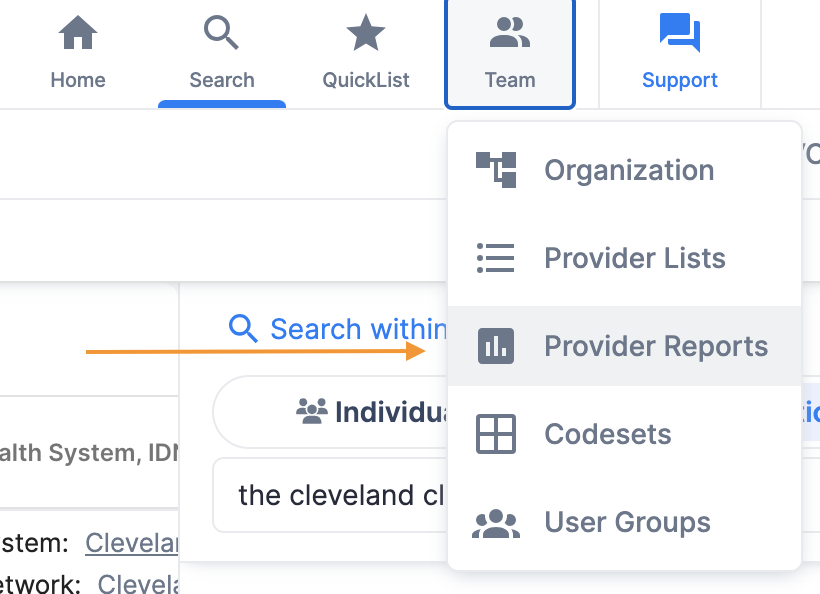
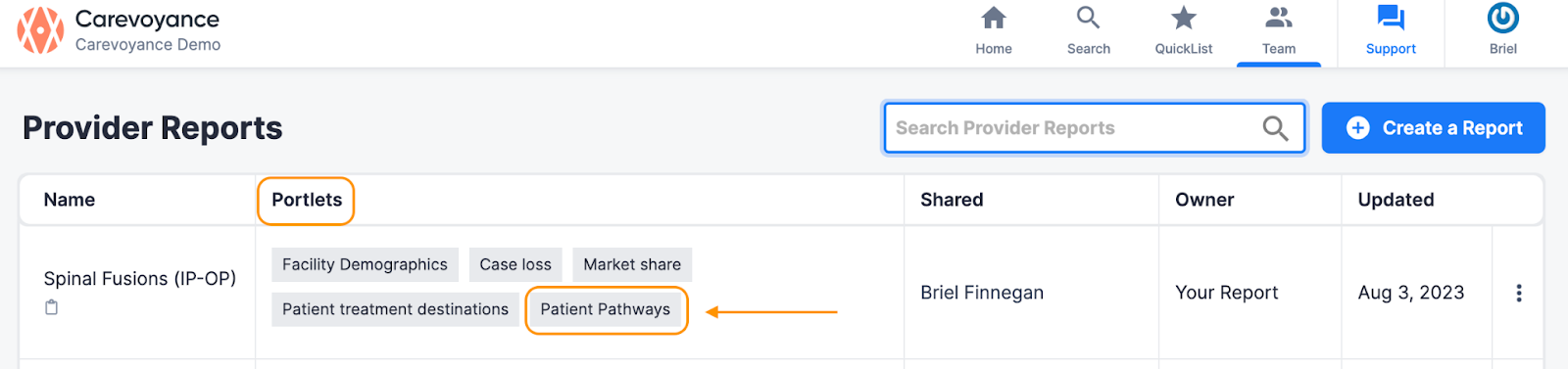
To see if an existing report includes the Patient Pathways portlet > select the Team tab at the top of the Carevoyance app > choose Provider Reports from the dropdown
You will then see the reports that the Patient Pathways portlet is included in
Demo Video